Staff Member Portal Documentation
The Staff Portal provides corporate office and remote employees with an intuitive self-service hub for daily attendance, leave management, and salary documentation.
Staff Self-Service Dashboard
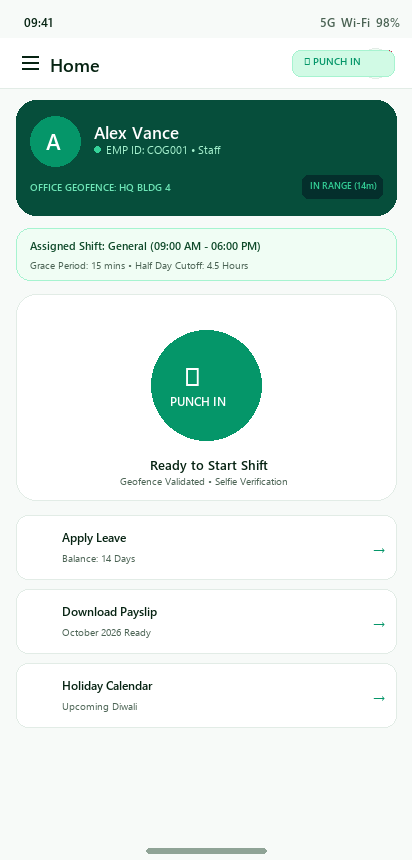
The staff dashboard gives employees instantaneous insight into their active shift, today’s attendance status, and quick shortcuts.
Key Elements
Assigned Shift Banner: Reflects the user’s current effective shift timing (whether global default or manager-assigned override).
Geofence Radar Indicator: Verifies in real-time whether the phone is within the authorized office perimeter.
Smart Punch Action: Large interactive button indicating current status (Punch In / Punched In / Punch Out).
Self-Service Links: Quick access to Leave Applications, Payslip Downloads, and Holiday Calendar.
Geofenced Attendance Punching
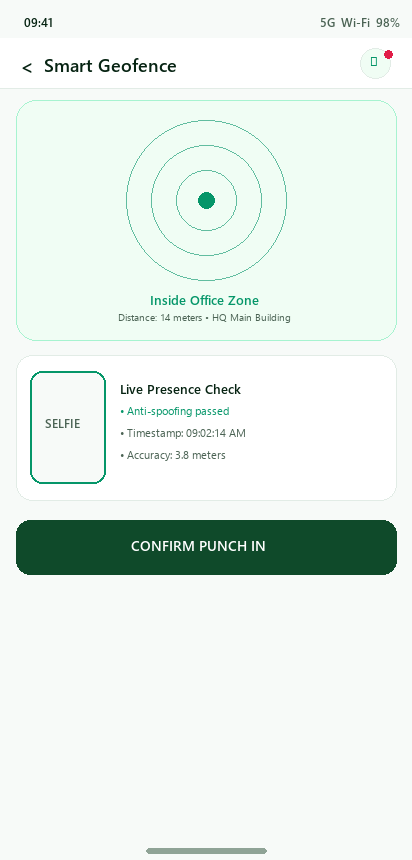
To ensure authentic attendance, staff clock-ins are validated via GPS coordinates and facial selfie capture.
Punch Verification Steps
Radar Positioning: The device acquires high-precision GPS coordinates and calculates radial distance from the assigned office location.
Perimeter Validation: If within range (e.g., 200m), the radar glows emerald and unlocks the punch action.
Selfie Capture: The user takes a quick selfie to confirm physical presence and prevent buddy clock-ins.
Instant Sync: The attendance record is timestamped, cryptographically tagged with device UUID, and uploaded.
Leave Management & Quota Tracking
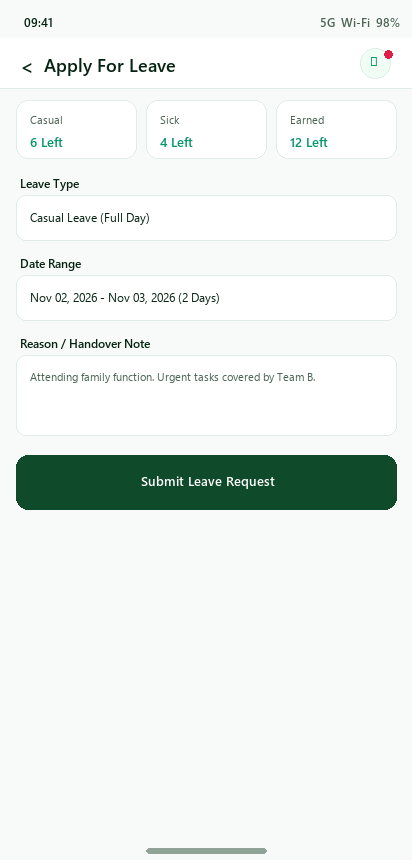
Employees can track their accrued leave balances and request time off in seconds.
Leave Categories & Balances
Casual Leave (CL): Short-notice personal leaves.
Sick Leave (SL): Medical absences with optional medical certificate upload.
Earned / Privilege Leave (EL/PL): Planned vacations and long-term leaves.
Payslip Breakdown & PDF Download
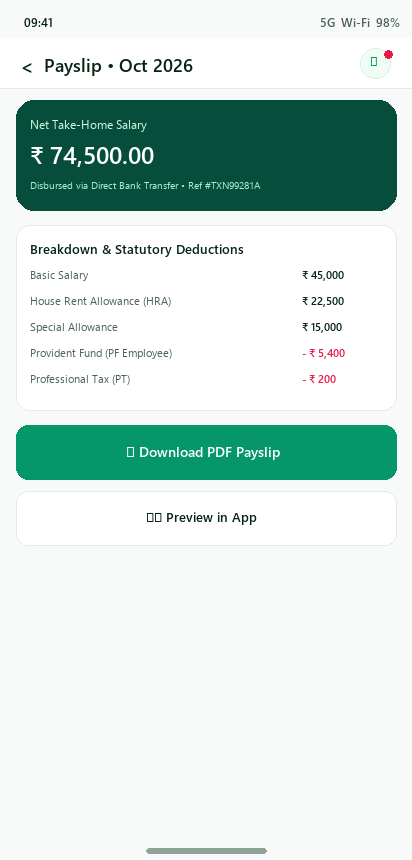
Employees can view detailed salary breakdowns and download official encrypted PDF payslips directly to their devices.
Payslip Features
Interactive Breakdown: Clear visibility of Basic, HRA, Allowances, PF, ESI, and Professional Tax.
Direct In-App PDF Preview: Built-in document viewer utilizing native system rendering.
Offline File Storage: Saves generated PDFs to device storage via path_provider and launches immediately with open_filex.