Authentication & Device Binding
WORKVO provides enterprise-grade identity verification, combining tenant-isolated credentials with hardware-level cryptographic device binding.
Role Selection Screen
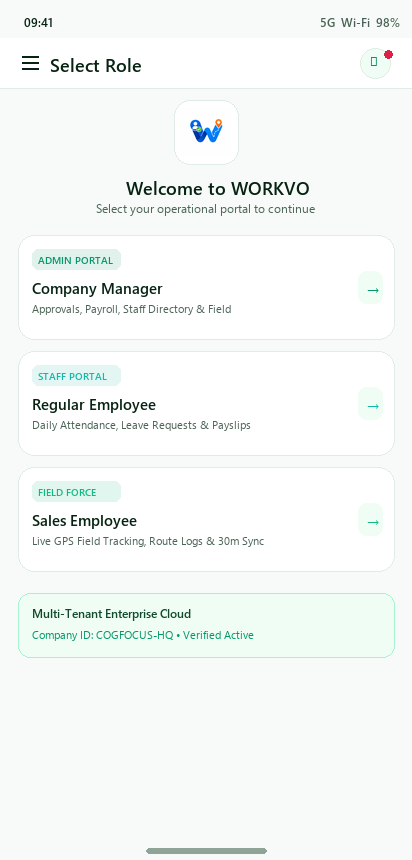
When users open WORKVO for the first time or switch operational roles, they are presented with the Role Selection interface.
Available Portals
Business Manager / Admin: - Access to team approvals, employee shift overrides, leave grants, payroll calculations, and diagnostic reports.
Regular Staff Member: - Streamlined geofenced punch in/out, selfie capture, leave balance tracking, payslip downloads, and company holiday calendar.
Field Sales Specialist: - Real-time GPS breadcrumbs, client visit check-ins, travel allowance (TA) logging, and battery-optimized instant punching.
Employee Sign-In Screen
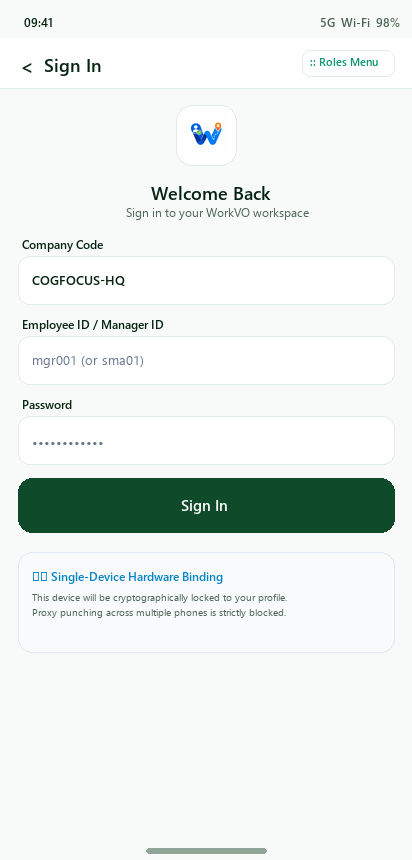
The unified sign-in screen securely connects to the company’s designated instance.
Authentication Features
Company Instance Routing: Auto-discovers API endpoint and tenant settings via company code.
Biometric Quick Unlock: Integrates with local device Android BiometricPrompt and iOS Face ID / Touch ID.
Session Persistence: Refresh tokens stored securely in Android Keystore / iOS Keychain.
Single-Device Hardware Binding
To eliminate proxy punching and buddy clock-ins, WORKVO binds each employee account to a single physical device:
How Hardware Binding Works
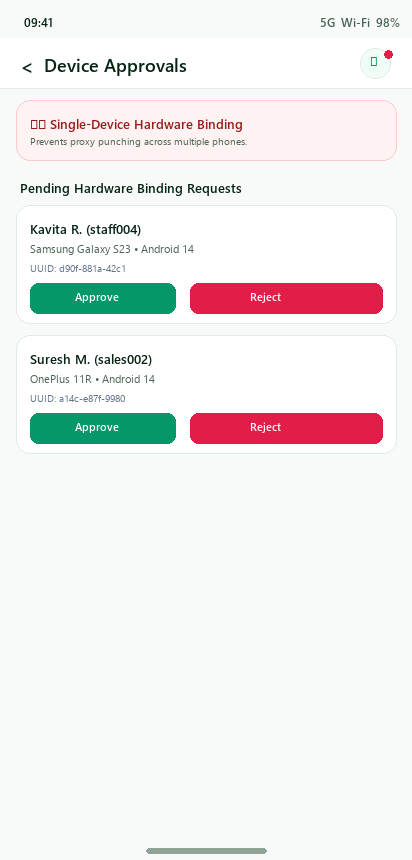
Upon initial login, DeviceIdentityHelper generates a hardware signature: - Device Manufacturer & Model (e.g., Samsung Galaxy S23) - Operating System Version (Android 14 / SDK 34) - Unique Hardware UUID hash
If the user logs in from a new or unapproved device, the login is blocked and flagged as Pending Approval.
The Manager receives an immediate notification in the Device Approvals screen to review the device details and grant or reject access.